Skip to content

ThePawn02

Gaming and Streaming Content

  • eSports
  • Guides
  • Headlines
  • News
  • Reviews
  • Uncategorized
Primary Menu
  • Home
  • Watch Live
  • News
  • eSports
  • Blog
  • Reviews
  • Guides
  • Guild Login
    • Guild Mentality
    • The Zealots
    • Malign
  • Socials
    • Youtube Channel
    • Twitch Channel
    • Kick.com
    • Twitter
    • Instagram
    • Facebook
Subscribe
  • Home
  • 2026
  • January
  • How to play with friends in Hytale
  • News

How to play with friends in Hytale

Explore a brave new world using multiplayer.
ThePawn.com January 13, 2026 2 minutes read
How to play with friends in Hytale

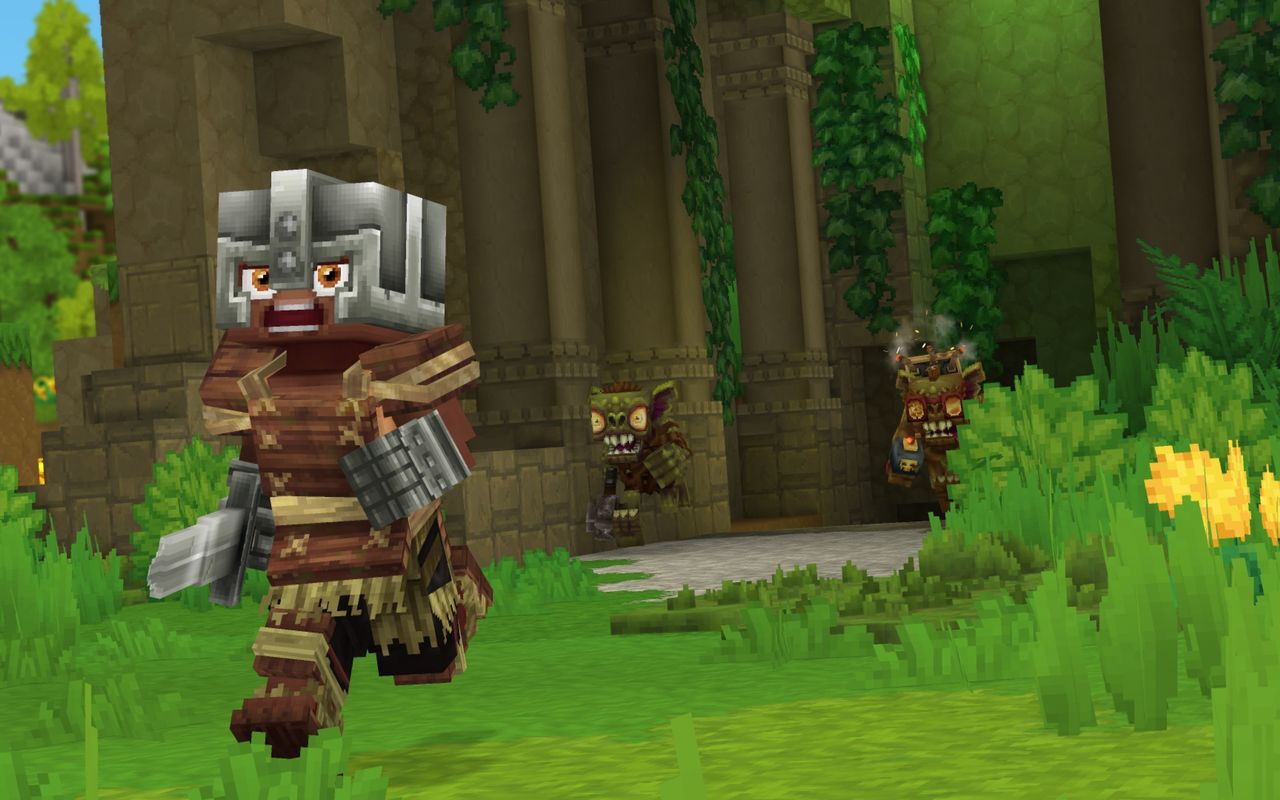
Hytale‘s multiplayer is much less complicated than it looks, though the lack of an option to invite friends right from the main menu doesn’t make things obvious when starting out. Nevertheless, you can play the entire game alongside a group of friends, which makes all the difference when you’re exploring a fresh world.

Below, I’ll go over how to invite friends to your Hytale world. Take note that this is different from hosting a dedicated server; for that, you’ll want Hypixel’s complicated Hytale server manual, though most players won’t ever need to worry about this.

How to play with friends in Hytale
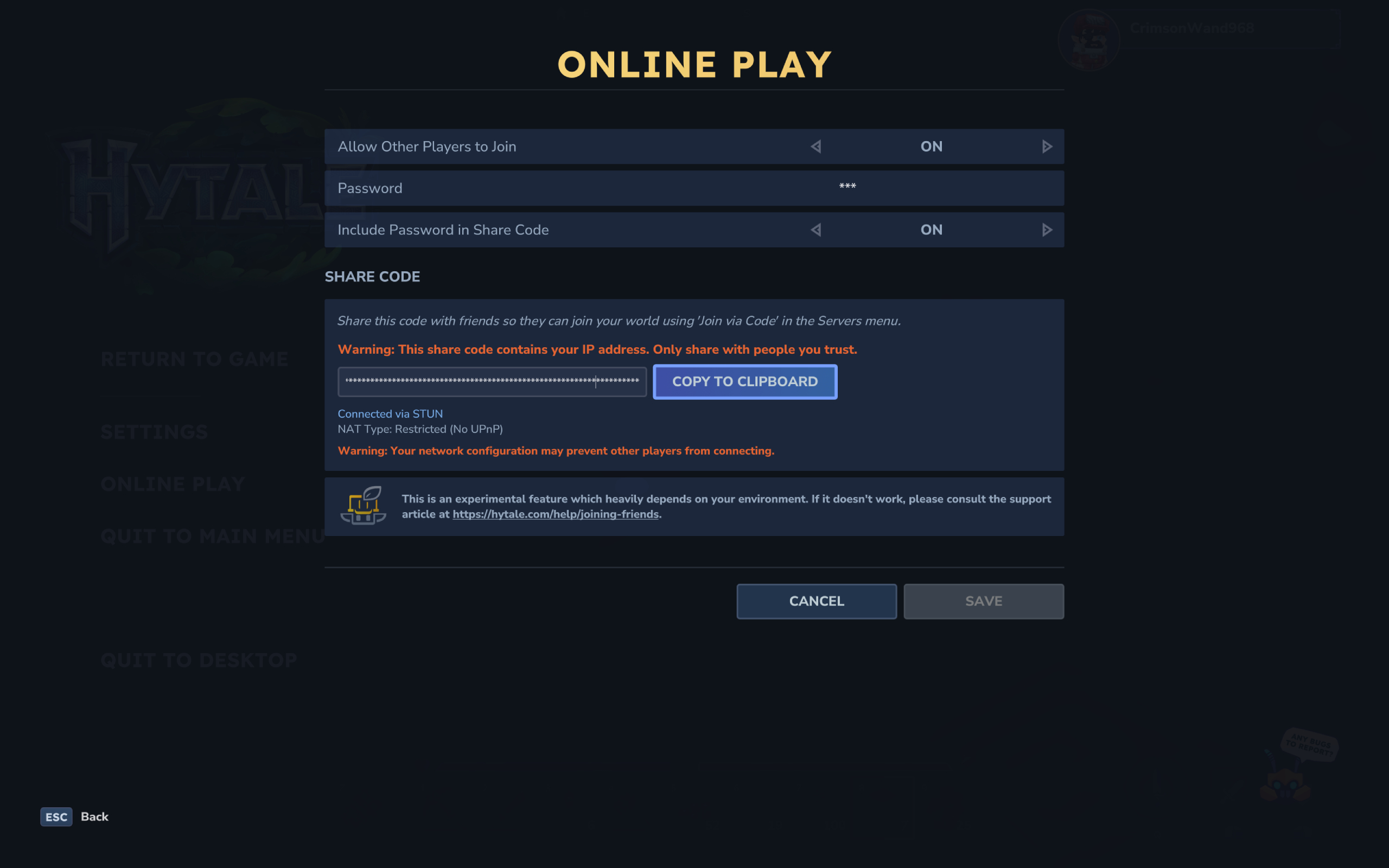
Hytale multiplayer server: The online play settings while hosting your own world server.

(Image credit: Hypixel)

To invite friends and play Hytale multiplayer, the host first needs to setup the world correctly. You need to:

  1. Create a world (yes, as if playing singleplayer)
  2. Open the pause menu and select ‘online play’
  3. Enable the ‘allow other players to join’ option
    1. You can optionally set a password to restrict access to only those with the code, and have it automatically included in your share code
  4. Click ‘save’ to generate a share code (warning: this code includes your IP address, so don’t share it with strangers)
  5. Copy the share code and send it to your friends
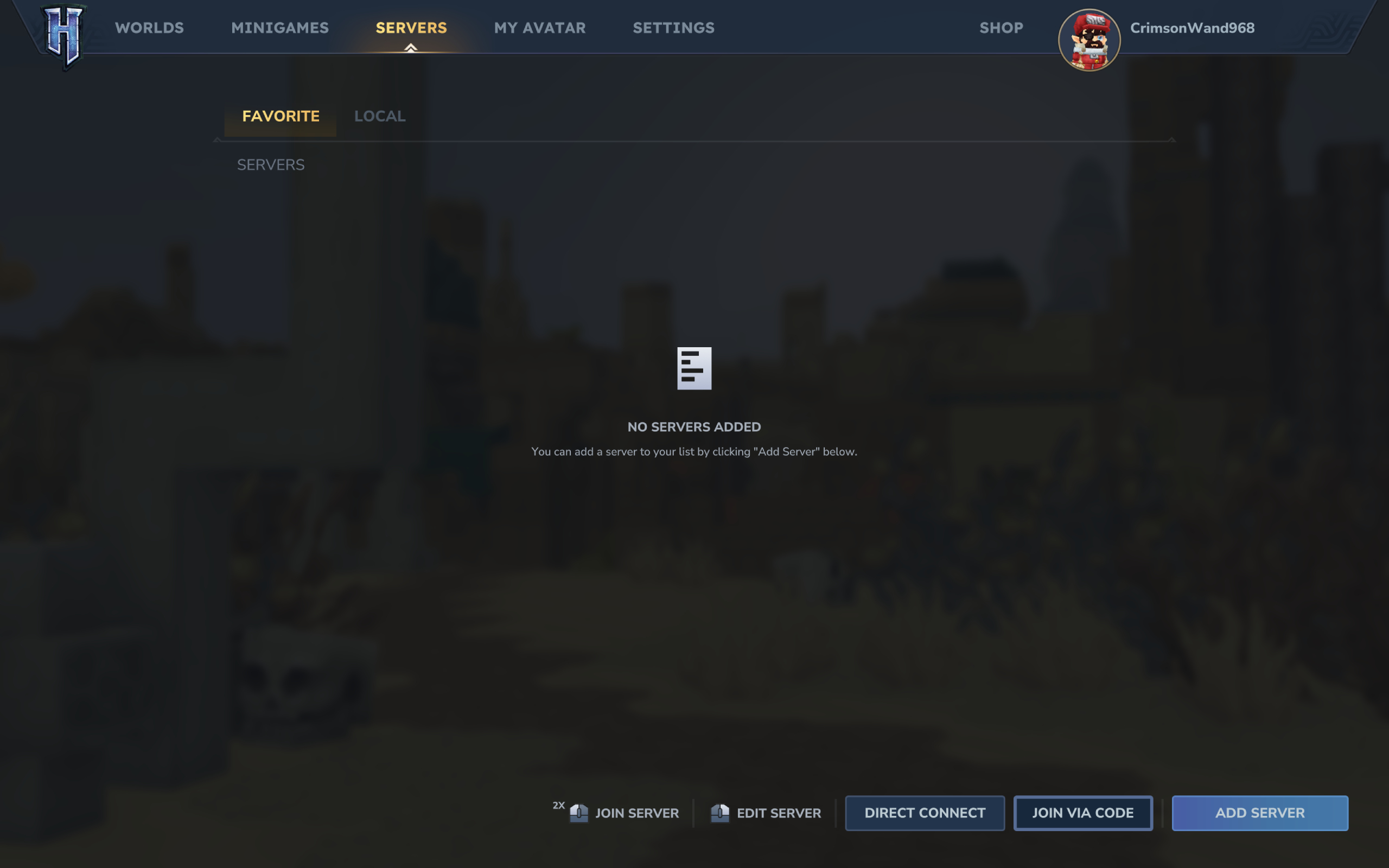
Image 1 of 2

Hytale multiplayer server: The server menu where you can select to join a multiplayer world using a share code.

(Image credit: Hypixel)
Image 2 of 2

Hytale multiplayer server: The box to input a friend's share code.

(Image credit: Hypixel)

Then, you need your friends to use said share code to join your multiplayer world. Those joining need to:

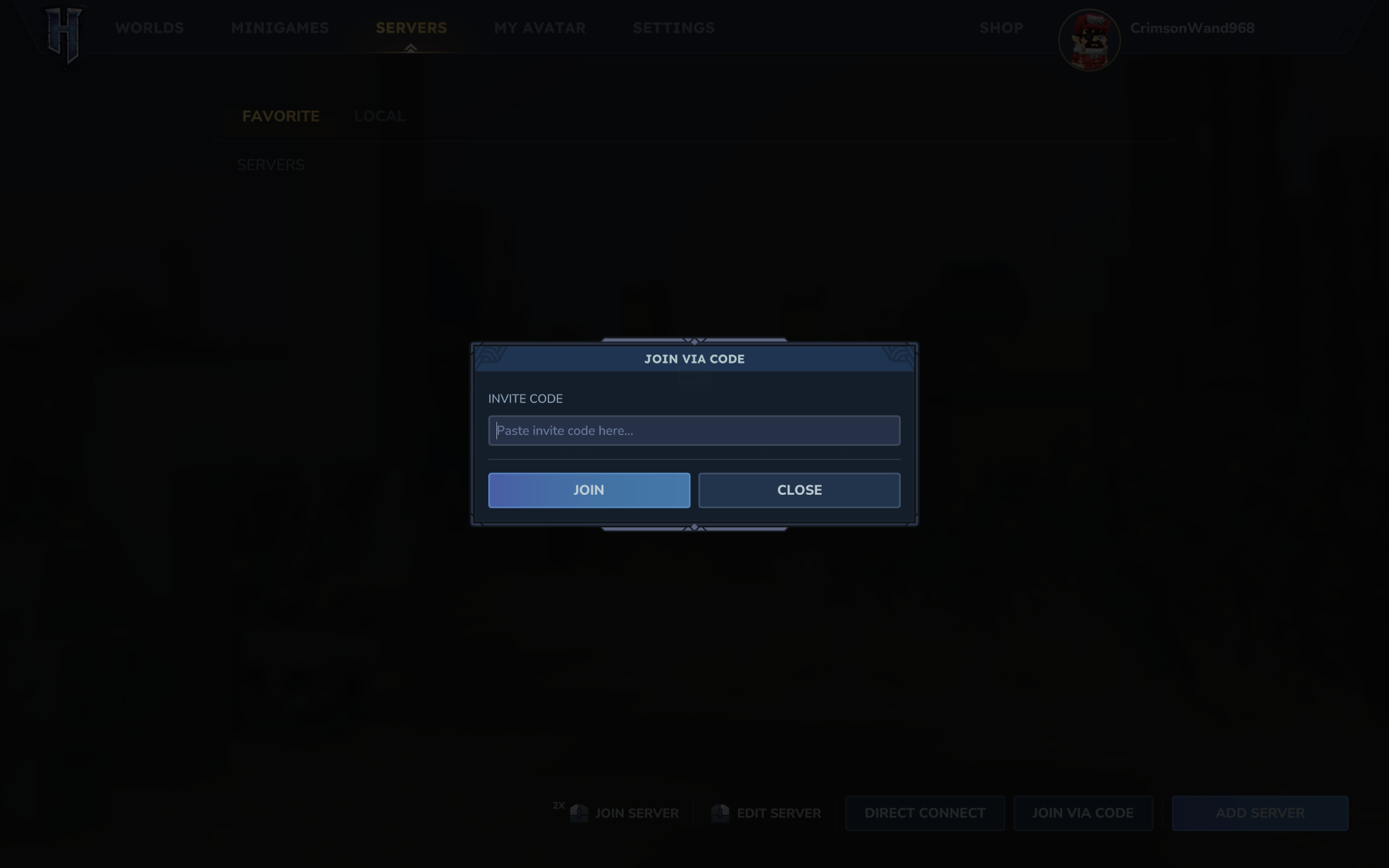
  1. Enter the Server page on the main menu
  2. Click ‘join via code’ in the bottom right corner
  3. Paste the share code
  4. Enter the server password if one is set by the host and not set to automatically be included in the code
  5. Click ‘connect’ to join the world

Once you’ve set up the server correctly and your friends have entered the code in the main menu, you should be all good to go. You can enable and disable multiplayer at any point, too, so don’t worry if you’re a few hours into your world.

2026 games: All the upcoming games
Best PC games: Our all-time favorites
Free PC games: Freebie fest
Best FPS games: Finest gunplay
Best RPGs: Grand adventures
Best co-op games: Better together

feedzy_import_tag feedzy_import_tag

About the Author

ThePawn.com

Administrator

Visit Website View All Posts

Post navigation

Previous: Scalpers Are Already Trying To Flip The Pokémon Legos
Next: The Stream Team: Exploring the Ruins of the Old World in Guild Wars 2

Related News

Legendary Persona ‘Demon Designer’ Will Port 3,600 AI-Generated Cards To His New Switch Game
  • News

Legendary Persona ‘Demon Designer’ Will Port 3,600 AI-Generated Cards To His New Switch Game

ThePawn.com January 30, 2026 0
Lord of the Rings Online community guide-master FibroJedi announces retirement
  • News

Lord of the Rings Online community guide-master FibroJedi announces retirement

ThePawn.com January 30, 2026 0
Roblox’s Steal a Brainrot landed a movie deal for some reason, players revolt over new ‘dynamic heads’
  • News

Roblox’s Steal a Brainrot landed a movie deal for some reason, players revolt over new ‘dynamic heads’

ThePawn.com January 30, 2026 0

Latest YouTube Video

Check out these awesome streamers

ThePawn02 on twitch

From Gamewatcher

  • Space Marine 2's January 2026 Community Update details Patch 12 and incoming DLCs
  • Craftlings Review
  • Terminator 2D: NO FATE Review
  • Total Chaos Review
  • Space Marine 2 Patch 12 Content & Release Date - Latest News

From IGN

  • Get Silent Hill f on PS5 for $36 During Woot’s Video Game Mega Sale
  • Huntdown: Overtime Is a Goofy, Retro, and Delightfully Violent Roguelike | IGN Game Preview
  • Google AI Project Genie Allows You to Create Playable Worlds From Prompts, So of Course It's Been Used to Rip Off Nintendo Games Like Mario and Zelda
  • Crimson Desert Promises the World, But How Much Will It Deliver?
  • 'We Remain Committed and Focused': Beyond Good & Evil 2 Creative Director Gives First Statement Since Ubisoft Reorganization

From eSports Insider

  • “These drafts are just boring to play”: Team Vitality’s Naak Nako on the LEC current meta
  • Modern Warfare vs Black Ops: Which is the better Call of Duty series?
  • “There is a lot of potential”: Karmine Corp SUYGETSU on revamped VCT 2026 roster
  • Cloud9 seeking Halo team for DreamHack Birmingham
  • League of Legends top champion tier list in 2026

.

You may have missed

Roblox’s Steal a Brainrot landed a movie deal for some reason, players revolt over new ‘dynamic heads’
  • News

Roblox’s Steal a Brainrot landed a movie deal for some reason, players revolt over new ‘dynamic heads’

ThePawn.com January 30, 2026 0
Lord of the Rings Online community guide-master FibroJedi announces retirement
  • News

Lord of the Rings Online community guide-master FibroJedi announces retirement

ThePawn.com January 30, 2026 0
Legendary Persona ‘Demon Designer’ Will Port 3,600 AI-Generated Cards To His New Switch Game
  • News

Legendary Persona ‘Demon Designer’ Will Port 3,600 AI-Generated Cards To His New Switch Game

ThePawn.com January 30, 2026 0
10 Amazing Games To Play On Your Phone Instead Of Doomscrolling
  • News

10 Amazing Games To Play On Your Phone Instead Of Doomscrolling

ThePawn.com January 30, 2026 0
Privacy Policy
  • Home
  • Watch Live
  • News
  • eSports
  • Blog
  • Reviews
  • Guides
  • Guild Login
  • Socials
  • Twitch
  • YouTube
  • Instagram
  • Twitter
  • Facebook
  • Kick.com
Copyright © All rights reserved. | MoreNews by AF themes.