Skip to content

ThePawn02

Gaming and Streaming Content

  • eSports
  • Guides
  • Headlines
  • News
  • Reviews
  • Uncategorized
Primary Menu
  • Home
  • Watch Live
  • News
  • eSports
  • Blog
  • Reviews
  • Guides
  • Guild Login
    • Guild Mentality
    • The Zealots
    • Malign
  • Socials
    • Youtube Channel
    • Twitch Channel
    • Kick.com
    • Twitter
    • Instagram
    • Facebook
Subscribe
  • Home
  • 2026
  • January
  • How to play with friends in Hytale
  • News

How to play with friends in Hytale

Explore a brave new world using multiplayer.
ThePawn.com January 13, 2026 2 minutes read
How to play with friends in Hytale

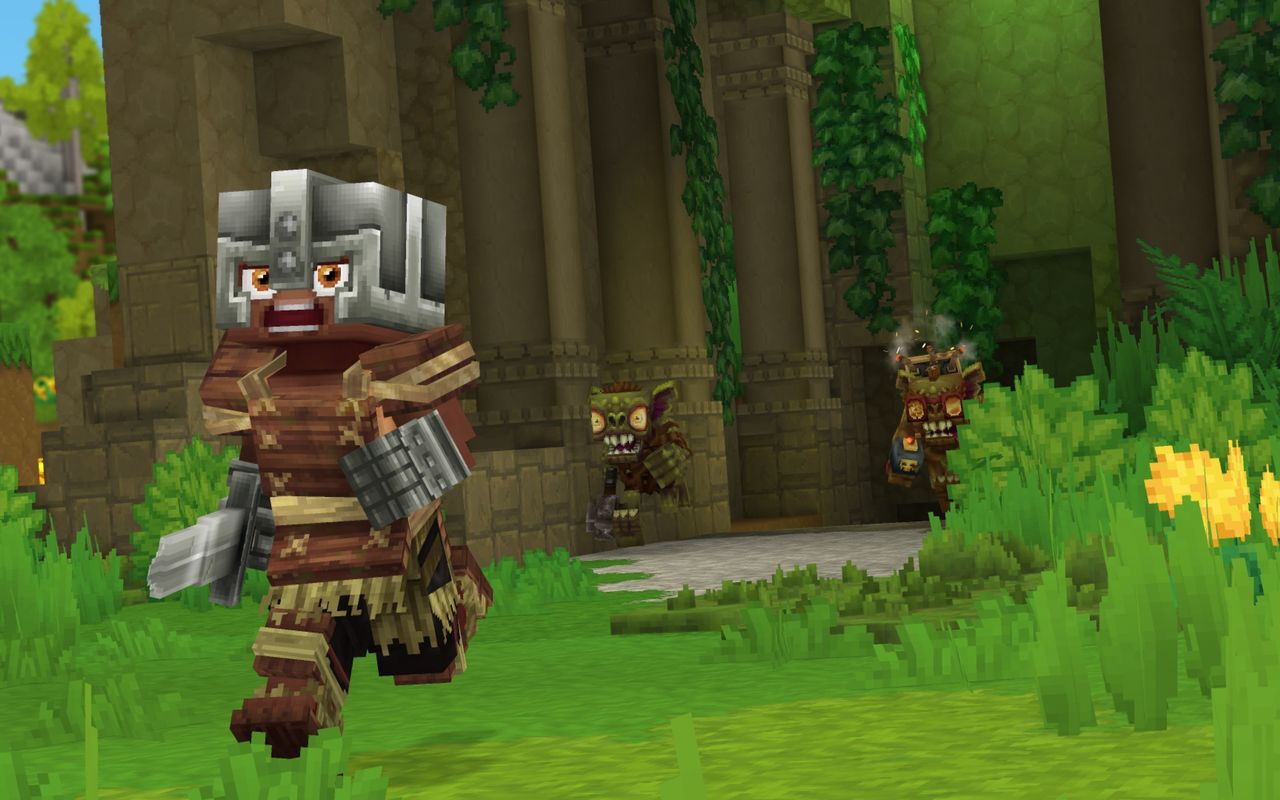
Hytale‘s multiplayer is much less complicated than it looks, though the lack of an option to invite friends right from the main menu doesn’t make things obvious when starting out. Nevertheless, you can play the entire game alongside a group of friends, which makes all the difference when you’re exploring a fresh world.

Below, I’ll go over how to invite friends to your Hytale world. Take note that this is different from hosting a dedicated server; for that, you’ll want Hypixel’s complicated Hytale server manual, though most players won’t ever need to worry about this.

How to play with friends in Hytale
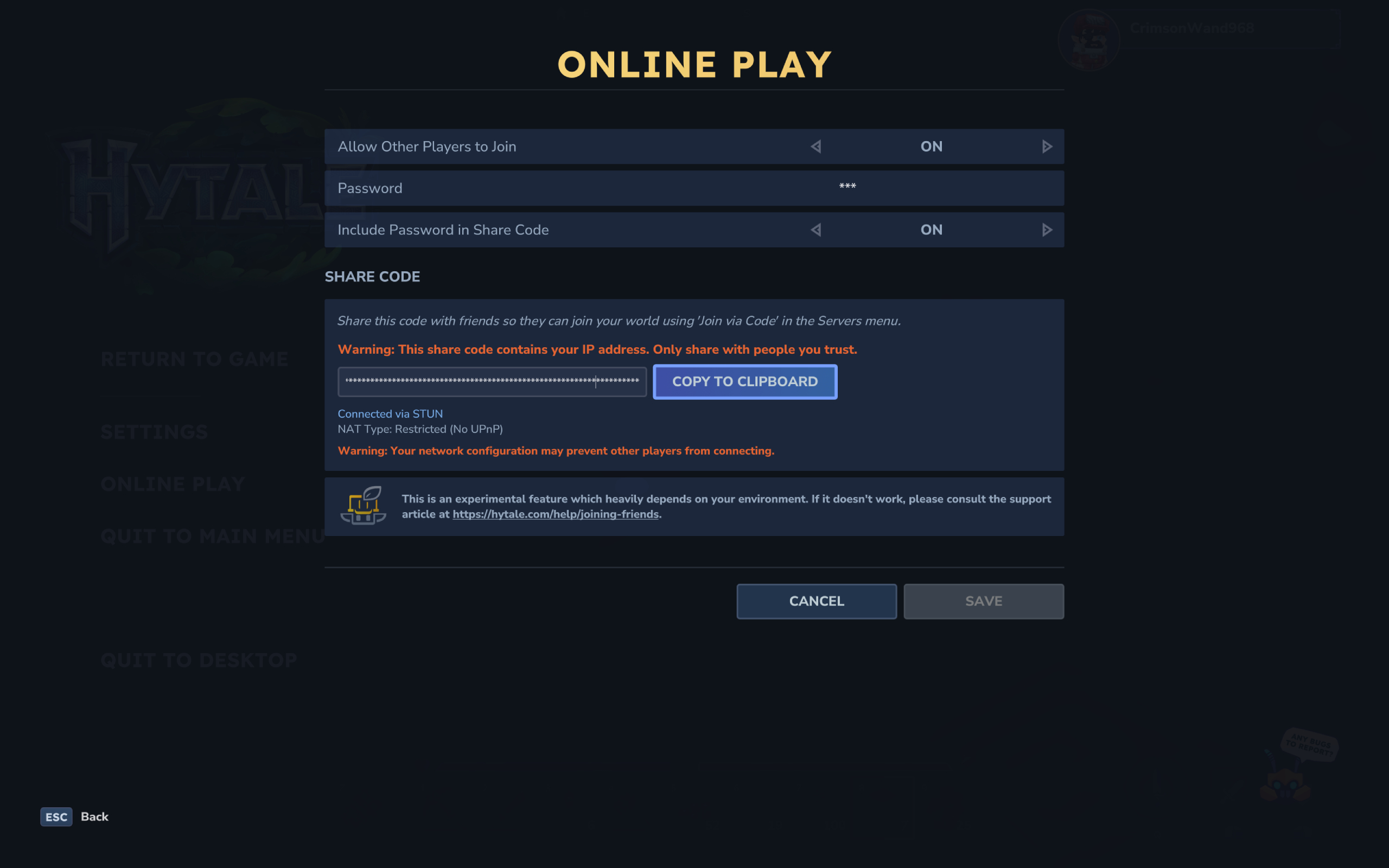
Hytale multiplayer server: The online play settings while hosting your own world server.

(Image credit: Hypixel)

To invite friends and play Hytale multiplayer, the host first needs to setup the world correctly. You need to:

  1. Create a world (yes, as if playing singleplayer)
  2. Open the pause menu and select ‘online play’
  3. Enable the ‘allow other players to join’ option
    1. You can optionally set a password to restrict access to only those with the code, and have it automatically included in your share code
  4. Click ‘save’ to generate a share code (warning: this code includes your IP address, so don’t share it with strangers)
  5. Copy the share code and send it to your friends
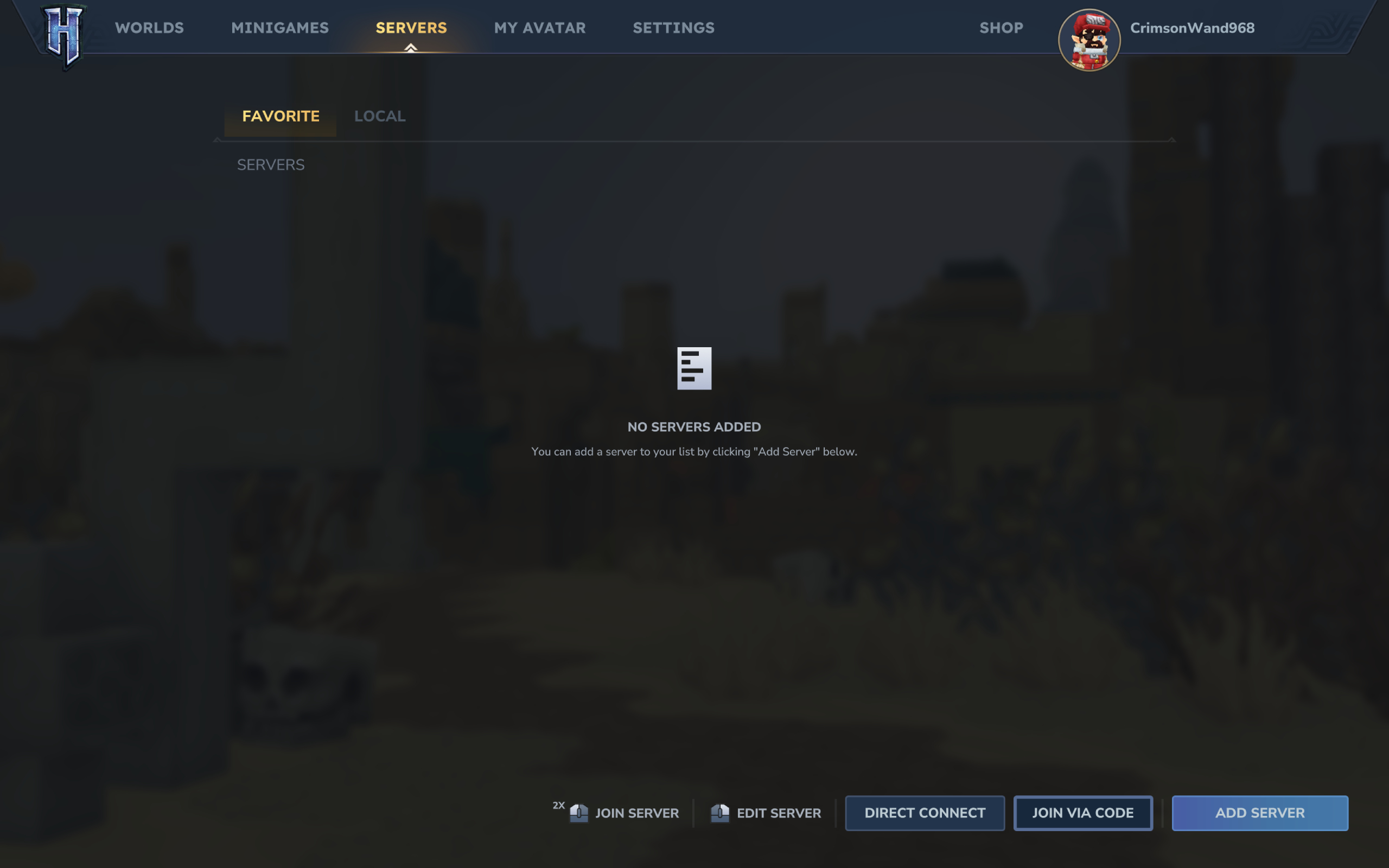
Image 1 of 2

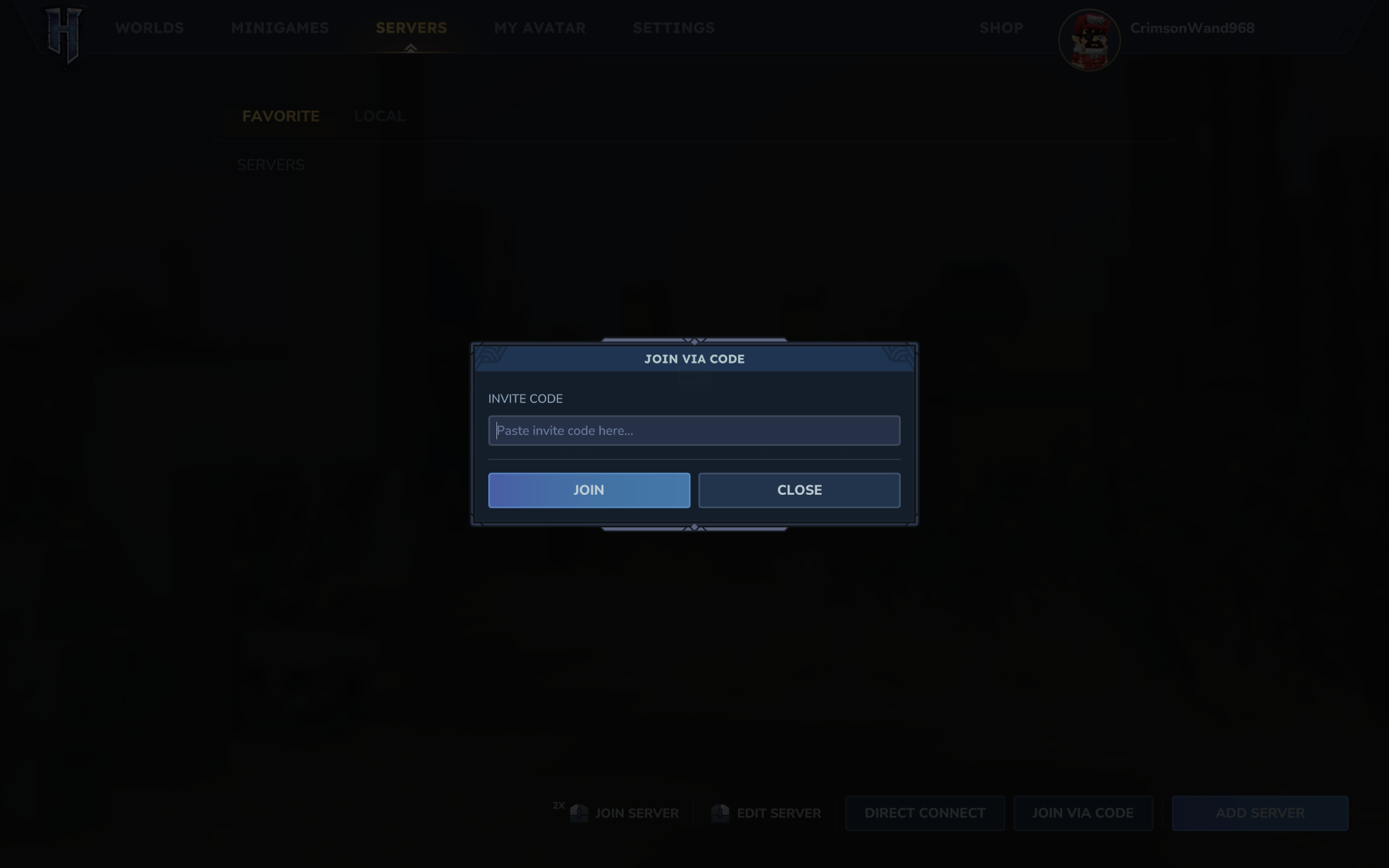
Hytale multiplayer server: The server menu where you can select to join a multiplayer world using a share code.

(Image credit: Hypixel)
Image 2 of 2

Hytale multiplayer server: The box to input a friend's share code.

(Image credit: Hypixel)

Then, you need your friends to use said share code to join your multiplayer world. Those joining need to:

  1. Enter the Server page on the main menu
  2. Click ‘join via code’ in the bottom right corner
  3. Paste the share code
  4. Enter the server password if one is set by the host and not set to automatically be included in the code
  5. Click ‘connect’ to join the world

Once you’ve set up the server correctly and your friends have entered the code in the main menu, you should be all good to go. You can enable and disable multiplayer at any point, too, so don’t worry if you’re a few hours into your world.

2026 games: All the upcoming games
Best PC games: Our all-time favorites
Free PC games: Freebie fest
Best FPS games: Finest gunplay
Best RPGs: Grand adventures
Best co-op games: Better together

feedzy_import_tag feedzy_import_tag

About the Author

ThePawn.com

Administrator

Visit Website View All Posts

Post navigation

Previous: Scalpers Are Already Trying To Flip The Pokémon Legos
Next: The Stream Team: Exploring the Ruins of the Old World in Guild Wars 2

Related News

A former GameStop exec thought building its Steam competitor would be his ‘forever job,’ but the retailer bet the house on digital distribution being ‘a passing phase’
  • News

A former GameStop exec thought building its Steam competitor would be his ‘forever job,’ but the retailer bet the house on digital distribution being ‘a passing phase’

ThePawn.com April 2, 2026 0
Mega Crit co-founder says he wasn’t bothered by the Steam backlash to Slay the Spire 2’s beta balance patch: ‘It’s difficult for players to feel like they’re heard’
  • News

Mega Crit co-founder says he wasn’t bothered by the Steam backlash to Slay the Spire 2’s beta balance patch: ‘It’s difficult for players to feel like they’re heard’

ThePawn.com April 2, 2026 0
The Emperor Protects: A Warhammer 40,000 Musical is a deeply committed April Fool’s joke from Games Workshop, and I don’t care if it’s a day late because it’s just that good
  • News

The Emperor Protects: A Warhammer 40,000 Musical is a deeply committed April Fool’s joke from Games Workshop, and I don’t care if it’s a day late because it’s just that good

ThePawn.com April 2, 2026 0

Latest YouTube Video

Check out these awesome streamers

ThePawn02 on twitch

From Gamewatcher

  • Grime 2 Console Commands and Cheats
  • Against the Storm Patch Notes Hub and Roadmap of Updates for 2026
  • Lead your armies into battle with these strategy games in Humble Bundle's Strategic Minds Collection!
  • Stormgate Losing Online Multiplayer Modes At the End of April But Will Get an Offline Mode Patch
  • Marathon Review

From IGN

  • Pokémon TCG: Perfect Order’s 10 Most Valuable Cards That I'm Already Chasing
  • Marvel's New Avengers Crossover to Include Exclusive Magic: The Gathering Card
  • Diablo 4: Lord of Hatred Exclusive Cutscene – 'The Queen and the Saint' | IGN First
  • Brian Raffel, Co-Founder of Call of Duty Developer Raven Software, Retires After 36 Years at Studio
  • 'It Killed Me That People Couldn't Play It' — Director of The Last of Us Online Only Found Out It Was Canceled 24 Hours Before the Public, Says It Was 80% Complete

From eSports Insider

  • The Ruler scandal explained: South Korea’s explosive reaction to what seems like, well, not a big deal
  • Is the Apex Legends esports scene dying? There’s a reason ImperialHal is considering leaving
  • Does G2 Esports’ run at First Stand 2026 mean the gap between Western and Eastern teams in LoL Esports is closing? Maybe
  • But I believe Aang can save the FGC: We need simple fun, like Avatar Legends
  • Putting Dota 2 teams to the test: Should Valve have dropped Patch 7.41 mid-tournament?

.

You may have missed

One Deranged Pokémon Pokopia Player Has Slurped Up the Entire Ocean
  • Headlines

One Deranged Pokémon Pokopia Player Has Slurped Up the Entire Ocean

ThePawn.com April 2, 2026 0
‘We’re Not Going to do a Dead by Daylight 2’ – Developer Kills Possibility of a Sequel
  • Headlines

‘We’re Not Going to do a Dead by Daylight 2’ – Developer Kills Possibility of a Sequel

ThePawn.com April 2, 2026 0
Wordle hint and answer today #1749 (April 3 2026)  feedzy_import_tag
  • Guides

Wordle hint and answer today #1749 (April 3 2026) feedzy_import_tag

ThePawn.com April 2, 2026 0
NYT Connections hint (Fri, 3 Apr)  feedzy_import_tag
  • Guides

NYT Connections hint (Fri, 3 Apr) feedzy_import_tag

ThePawn.com April 2, 2026 0
Privacy Policy
  • Home
  • Watch Live
  • News
  • eSports
  • Blog
  • Reviews
  • Guides
  • Guild Login
  • Socials
  • Twitch
  • YouTube
  • Instagram
  • Twitter
  • Facebook
  • Kick.com
Copyright © All rights reserved. | MoreNews by AF themes.