In competitive Counter-Strike 2 (CS2), top players such as Danil “donk” Kryshkovets, Mathieu “ZywOo” Herbaut, and Ilya “m0NESY” Osipov have specific settings to suit their preferences. Players can also use these professional configurations as a starting point to find the best CS2 settings for their own gameplay.
Key takeaways
- Players donk, ZywOo, and m0NESY all use the 1280×960 resolution, a 4:3 aspect ratio, stretched scaling, and 93% brightness.
- Both donk and m0NESY use 8x MSAA while ZywOo uses 4x MSAA and NVIDIA Reflex Low Latency.
- All three players use static crosshairs.
- ZywOo and m0NESY prefer 400 DPI while donk prefers 800 DPI.
Table of contents
- Best CS2 settings
- CS2 settings for donk
- CS2 settings for ZywOo
- CS2 settings for m0NESY
- Best CS2 settings FAQs
Best CS2 settings
In terms of the best CS2 video settings, donk, ZywOo, and m0NESY use the 1280×960 resolution, a 4:3 aspect ratio, stretched scaling, 93% brightness, and fullscreen display mode.
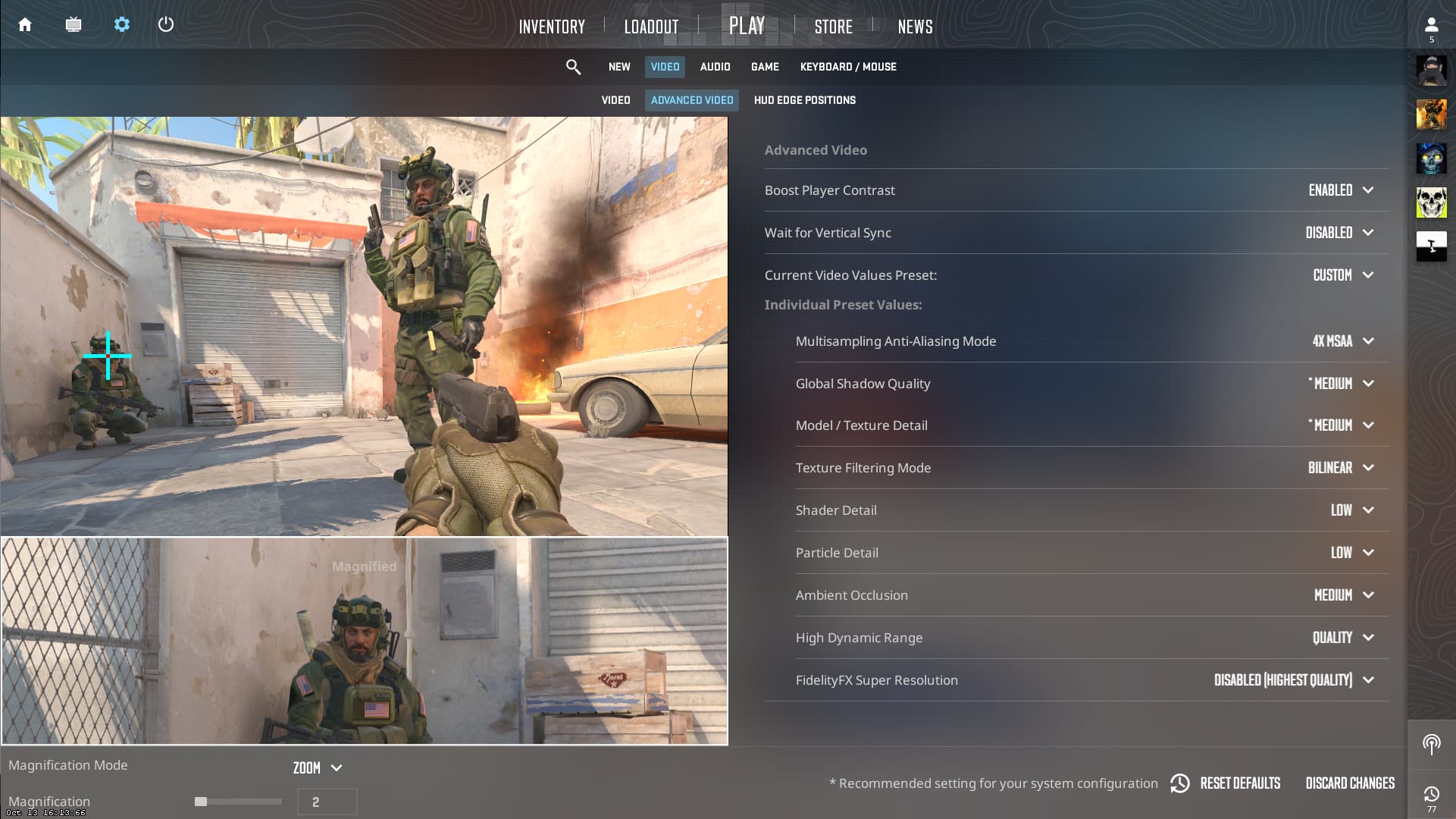
While their advanced video settings also have several configurations, the players do use different anti-aliasing and graphics settings. That is, donk and m0NESY use 8x MSAA, ZywOo uses 4x MSAA. ZywOo also enables NVIDIA Reflex Low Latency and uses higher model, shader, and particle detail settings.
According to ProSettings.net, below are the CS2 video, viewmodel, crosshair, and mouse settings used by each player.

donk’s CS2 settings
Video settings
- Resolution: 1280×960
- Aspect Ratio: 4:3
- Scaling Mode: Stretched
- Brightness: 93%
- Display Mode: Fullscreen
- Boost Player Contrast: Enabled
- V-Sync: Disabled
- NVIDIA Reflex Low Latency: Disabled
- NVIDIA G-Sync: Disabled
- Maximum FPS In Game: 600
- Multisampling Anti-Aliasing Mode: 8x MSAA
- Global Shadow Quality: High
- Dynamic Shadows: All
- Model / Texture Detail: Low
- Texture Filtering Mode: Bilinear
- Shader Detail: Low
- Particle Detail: Low
- Ambient Occlusion: Disabled
- High Dynamic Range: Quality
- FidelityFX Super Resolution: Disabled (Highest Quality)
Crosshair settings
- Style: Static Cross
- Follow Recoil: No
- Dot: No
- Length: 2
- Thickness: 2
- Gap: 1
- Outline: No
- Red: 0
- Green: 255
- Blue: 0
- Opacity: 255
- T Style: No
- Sniper Width: 0
- Use Crosshair Color for Scope Dot: No
- Scope Dot Scale: 1
Viewmodel settings
- FOV: 68
- Offset X: 2.5
- Offset Y: 0
- Offset Z: -1.5
Mouse settings
- DPI: 800
- Sensitivity: 1.25
- eDPI: 1000
- Zoom Sensitivity: 1
- Polling Rate: 1000Hz
- Windows Sensitivity: 4

ZywOo’s CS2 settings
Video settings
- Resolution: 1280×960
- Aspect Ratio: 4:3
- Scaling Mode: Stretched
- Brightness: 93%
- Display Mode: Fullscreen
- Boost Player Contrast: Enabled
- V-Sync: Disabled
- NVIDIA Reflex Low Latency: Enabled
- NVIDIA G-Sync: Disabled
- Maximum FPS In Game: 400
- Multisampling Anti-Aliasing Mode: 4x MSAA
- Global Shadow Quality: High
- Dynamic Shadows: All
- Model / Texture Detail: High
- Texture Filtering Mode: Anisotropic 4x
- Shader Detail: High
- Particle Detail: High
- Ambient Occlusion: Medium
- High Dynamic Range: Quality
- FidelityFX Super Resolution: Disabled (Highest Quality)
Crosshair settings
- Style: Static Cross
- Follow Recoil: No
- Dot: No
- Length: 3
- Thickness: 2
- Gap: 2
- Outline: No
- Red: 0
- Green: 255
- Blue: 223
- Opacity: 255
- T Style: No
- Sniper Width: 0
- Use Crosshair Color for Scope Dot: No
- Scope Dot Scale: 1
Viewmodel settings
- FOV: 68
- Offset X: 2.5
- Offset Y: 0
- Offset Z: -1.5
Mouse settings
- DPI: 400
- Sensitivity: 1.9
- eDPI: 760
- Zoom Sensitivity: 1
- Polling Rate: 1000Hz
- Windows Sensitivity: 6

m0NESY’s CS2 settings
Video settings
- Resolution: 1280×960
- Aspect Ratio: 4:3
- Scaling Mode: Stretched
- Brightness: 93%
- Display Mode: Fullscreen
- Boost Player Contrast: Enabled
- V-Sync: Disabled
- NVIDIA Reflex Low Latency: Disabled
- NVIDIA G-Sync: Disabled
- Maximum FPS In Game: 999
- Multisampling Anti-Aliasing Mode: 8x MSAA
- Global Shadow Quality: High
- Dynamic Shadows: All
- Model / Texture Detail: Low
- Texture Filtering Mode: Bilinear
- Shader Detail: Low
- Particle Detail: Low
- Ambient Occlusion: Disabled
- High Dynamic Range: Quality
- FidelityFX Super Resolution: Disabled (Highest Quality)
Crosshair settings
- Style: Static Cross
- Follow Recoil: No
- Dot: No
- Length: 4
- Thickness: 1
- Gap: 2
- Outline: No
- Red: 255
- Green: 255
- Blue: 0
- Opacity: 255
- T Style: No
- Sniper Width: 0
- Use Crosshair Color for Scope Dot: No
- Scope Dot Scale: 1
Viewmodel settings
- FOV: 68
- Offset X: 2.5
- Offset Y: 0
- Offset Z: -1.5
Mouse settings
- DPI: 400
- Sensitivity: 2.3
- eDPI: 920
- Zoom Sensitivity: 1
- Polling Rate: 2000Hz
- Windows Sensitivity: 6
Best CS2 settings FAQs
What resolution do donk, ZywOo, and m0NESY use in CS2?
All three professional esports players use a resolution of 1280×960, a 4:3 aspect ratio, and stretched scaling.
What are the best video settings for CS2?
A popular starting point is 1280×960 resolution, 4:3 aspect ratio, stretched scaling, 93% brightness, and fullscreen display mode. Players can also adjust their advanced graphics settings based on their hardware and other preferences.
What mouse sensitivity does donk use in CS2?
CS2 player donk uses 800 DPI, 1.25 in-game sensitivity, and 1000 eDPI. His zoom sensitivity is set to 1.
What crosshair settings do professional CS2 players use?
ZywOo, donk, and m0NESY all use a static crosshair without an outline or center dot.
That’s all for now. Stick around on esports.gg for more CS2 news, guides, and updates.
About the Author